Stop is only a snooze
Weik uses the iOS alarm system, so it rings on the Lock Screen at full volume even in silent mode. Pressing Stop brings it back a few seconds later. Only a finished challenge ends it.
Alarm · Utilities
The alarm you can’t snooze.
An alarm that keeps ringing until you prove you’re awake with a quick challenge: math, a typed phrase, or one of ten minigames.
About
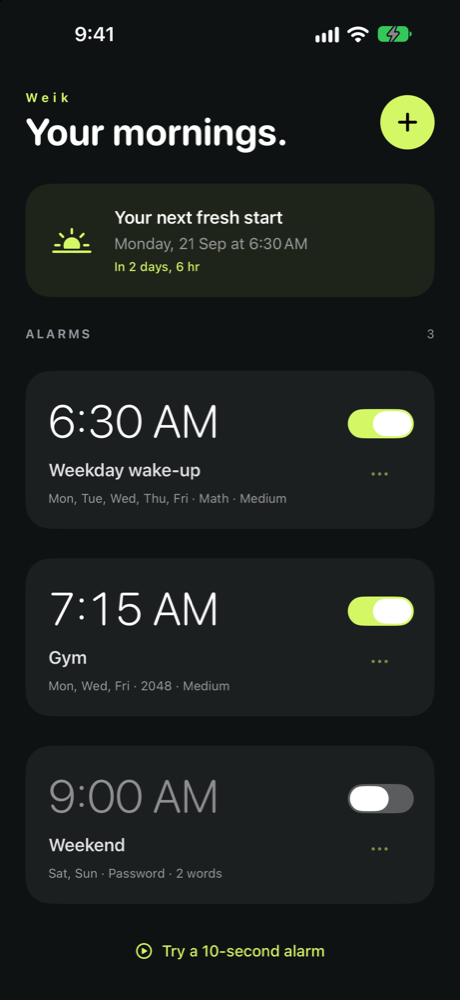
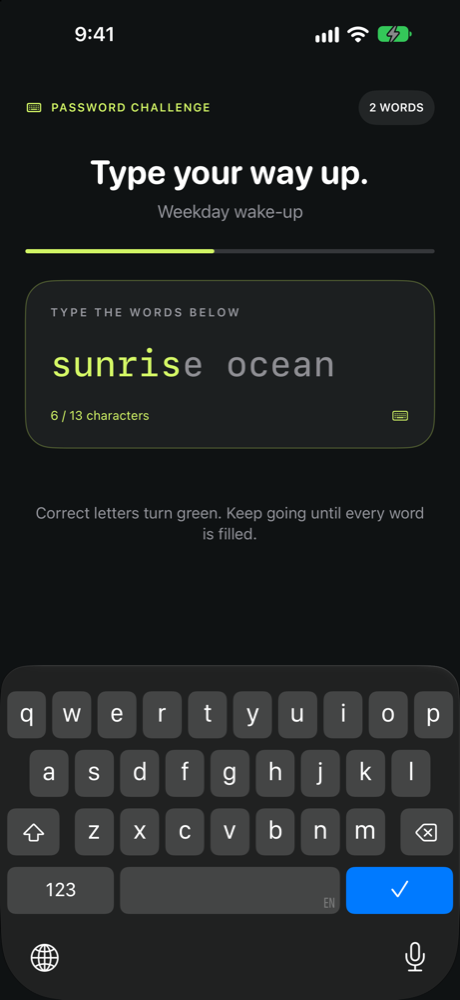
Weik is the alarm for people who hit Stop and fall straight back asleep. When it rings, Stop only pauses it. Moments later it rings again, and it keeps doing that until you finish a challenge inside the app.
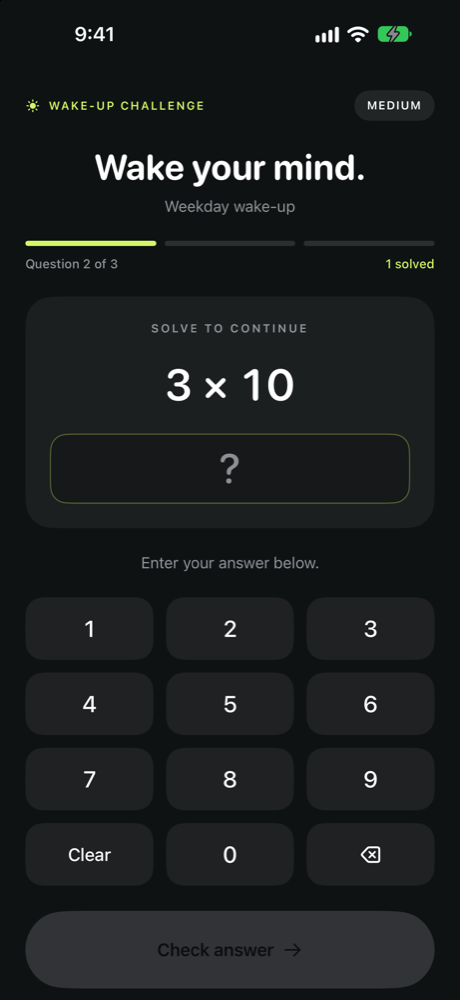
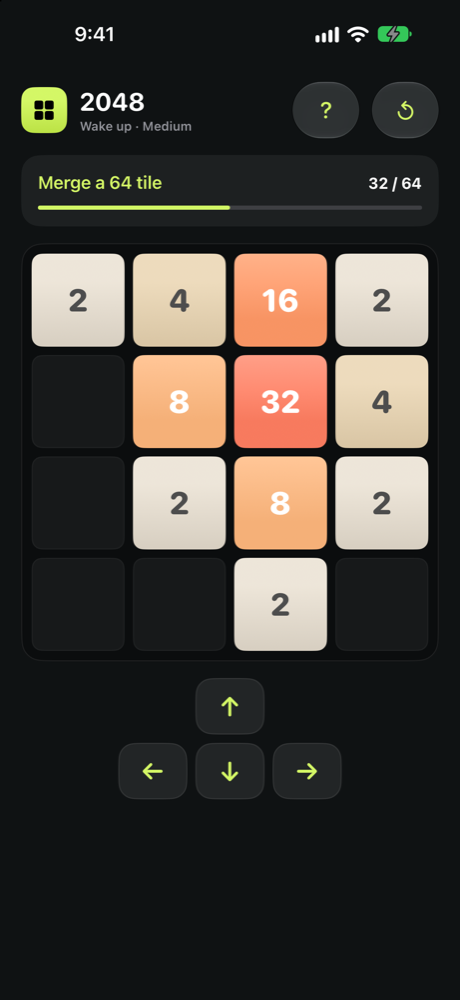
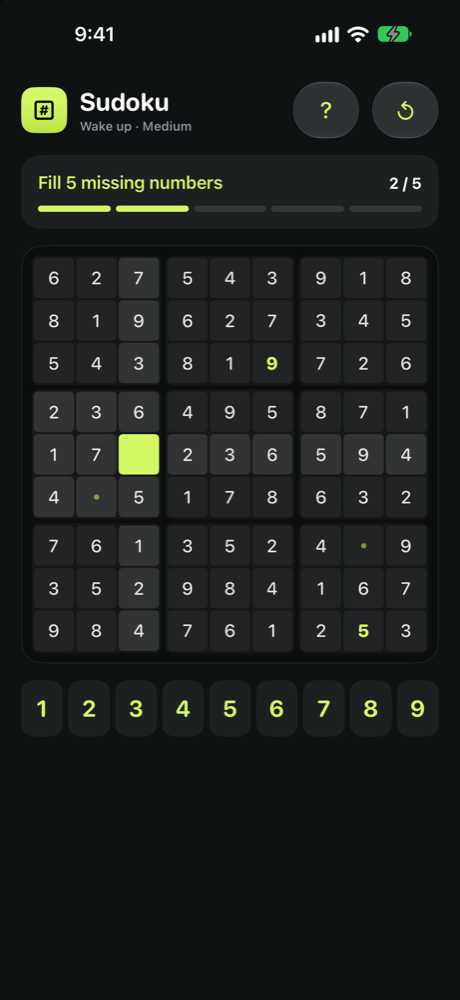
Choose how you wake up: three quick sums, a random phrase typed letter by letter, or a short round of 2048, Sudoku, Tetris, Snake and more. Every game has three difficulty levels and every puzzle board has exactly one clean solution.
Weik uses the iOS alarm system, so it rings on the Lock Screen at full volume even in silent mode. Pressing Stop brings it back a few seconds later. Only a finished challenge ends it.
Math on a keypad built for half-open eyes, a random phrase with no autocorrect shortcuts, or ten original minigames with Easy, Medium and Hard goals.
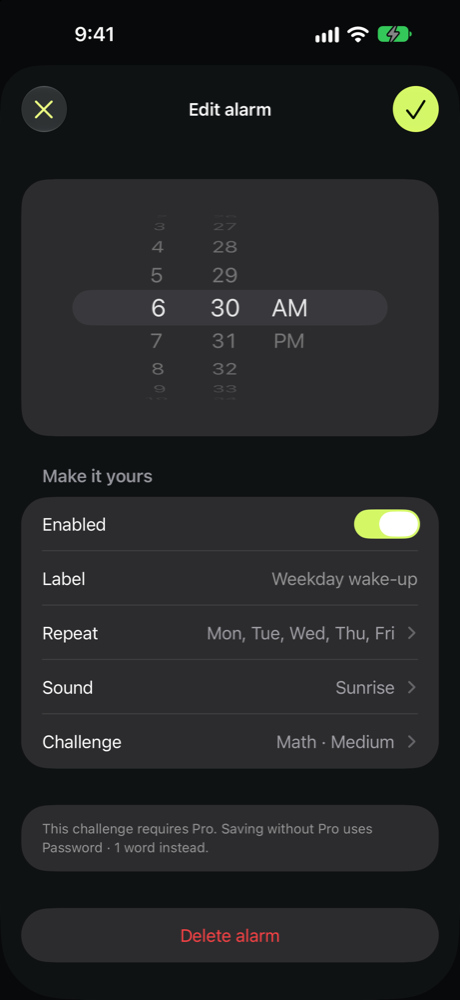
Repeat on any days of the week, name each alarm, choose a ringtone and preview it. Progress is saved mid-challenge, so leaving the app never resets you.
A Home Screen and Lock Screen widget shows your next alarm with a live countdown, and tells you when one is waiting to be finished.
No account, no tracking. Alarms and challenge progress stay on your device. Only anonymous crash reports leave it, so bugs can be fixed.
Every challenge and difficulty can be practiced for free from the Challenge page. Practice never changes your alarm.
Screens
How it works
Name the alarm, pick the days it repeats, choose a ringtone and the challenge you want to face.
Weik rings on the Lock Screen. Stop pauses it for a moment, then it comes right back.
Open the app from the alert, complete the challenge, and the alarm is done. Repeating alarms schedule themselves for the next day.
Challenges
Two are free forever. Weik Pro unlocks the rest. Every one of them can be practiced for free at any time.
Math
3 quick sums, or 5 two-step problems on Hard
Password
Type 1 to 4 random words, letter by letter
2048
Merge a 32, 64 or 128 tile
Block Blast
Clear rows and columns with three-piece trays
Sudoku
Fill the missing cells on a valid board
Breakout
Break bricks from a 30-brick wall
Tetris
Clear lines on a prepared board
Flappy Ball
Fly an alarm clock through the pipes
Snake
Collect apples without hitting the walls
Lines
Match three colors in a row
Tic-tac-toe
Find the winning move on each board
Minesweeper
Flag the mines using the clues, no guessing
Pricing
Free
Password (1 word) and Tic-tac-toe Easy are free to use as alarms, forever. Alarms, repeat days, ringtones and the widget never require a subscription.
Pro
Weik Pro unlocks every other challenge and difficulty. Subscriptions are handled by Apple and can be managed or cancelled from your Apple account at any time.
Already scheduled alarms stay finishable with their original challenge if Pro lapses. Payment never interrupts a ringing alarm.
Questions
Plain-language documents that describe exactly what the app does with your data.